

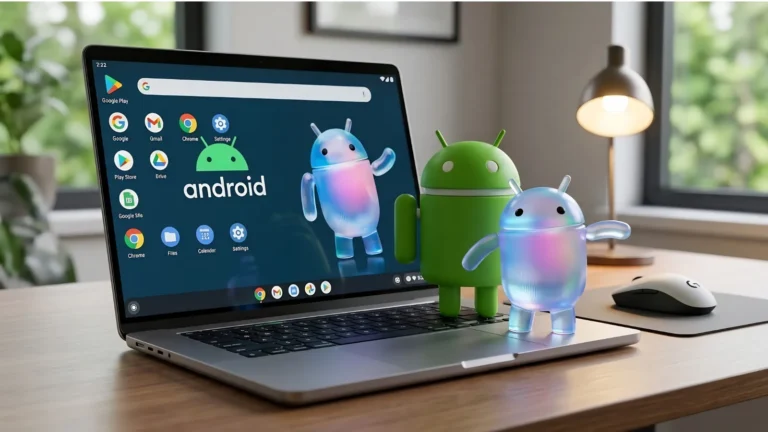
TL;DR: Aluminium OS (internally known as ALOS) is Google’s new Android-based desktop operating system designed for Googlebook laptops. While it offers native Android app support and AI features like Magic Pointer, it lacks the professional-grade file system and application ecosystem of macOS Tahoe. Technical analysis shows that despite its desktop-like interface, Aluminium OS remains limited by its mobile-first Android kernel, making it less suitable for professional workflows compared to the MacBook Neo.
At Android Show: I/O Edition 2026, the message was clear: ChromeOS is for classrooms; Aluminium OS is for “Pros.” By merging the Android and ChromeOS teams, Google has finally built a version of Android that doesn’t look like a tablet accidentally connected to a keyboard.
But here’s the problem some of you know all too well: If you’ve spent five minutes trying to do actual work on a high-end tablet, you know the truth: A pretty UI is just paint. The plumbing is what matters. And the plumbing in Aluminium OS is still built for a smartphone.
The Architecture: Android 17 in a Trench Coat
Unlike the old ChromeOS, which ran Android apps in a clunky container (ARCVM), Aluminium OS runs them natively. Android is the base layer. This means better performance for apps like Instagram or CapCut, but it also means you are fundamentally tied to the Android 17 kernel.
- The “DeX” Deja Vu: Using Aluminium OS feels suspiciously like using Samsung DeX. You get a taskbar, you get “Universal App Bubbles” for multitasking, but the apps themselves are still mobile-coded.
- The Magic Pointer Gimmick: Google’s “solution” is the Magic Pointer. It uses Gemini to “understand” what’s on your screen so you can wiggle your mouse and have AI summarise a PDF. It’s a cool party trick. But you know what’s better than an AI summarising a PDF? A desktop OS that lets you open four PDFs in separate windows without the system killing background processes.
File System: The Great Regression
This is where macOS Tahoe on the MacBook Neo eats Google’s lunch.
On a Mac, you have a hierarchical, root-accessible file system. You can move assets between Photoshop, Final Cut, and a terminal window with zero friction. You own the files.
Aluminium OS still uses the abstracted Android file picker. It’s designed to keep you safe (and locked in). Try running a local development environment, a Docker container, or a complex Premiere Pro project with linked assets on an Android-based OS. You can’t. You are working in a “Sandbox.” A very pretty, AI-powered sandbox, but a sandbox nonetheless.
The App Gap: “Desktop” is a State of Mind
Google is begging developers to build desktop versions of Android apps. But why would they?
- The Neo Effect: If a student can buy a RM2,499 MacBook Neo that runs the actual Adobe Creative Cloud, why would a developer spend millions optimising the Android version of Premiere for a handful of Googlebooks?
- Web vs. Native: Ironically, the best thing about the old Chromebooks was the full Desktop Chrome browser. In the shift to “Aluminium,” Google is focusing so much on Android apps that they risk losing the “Web-first” stability that made ChromeOS actually useful for work.
The Verdict: Tool vs. Toy
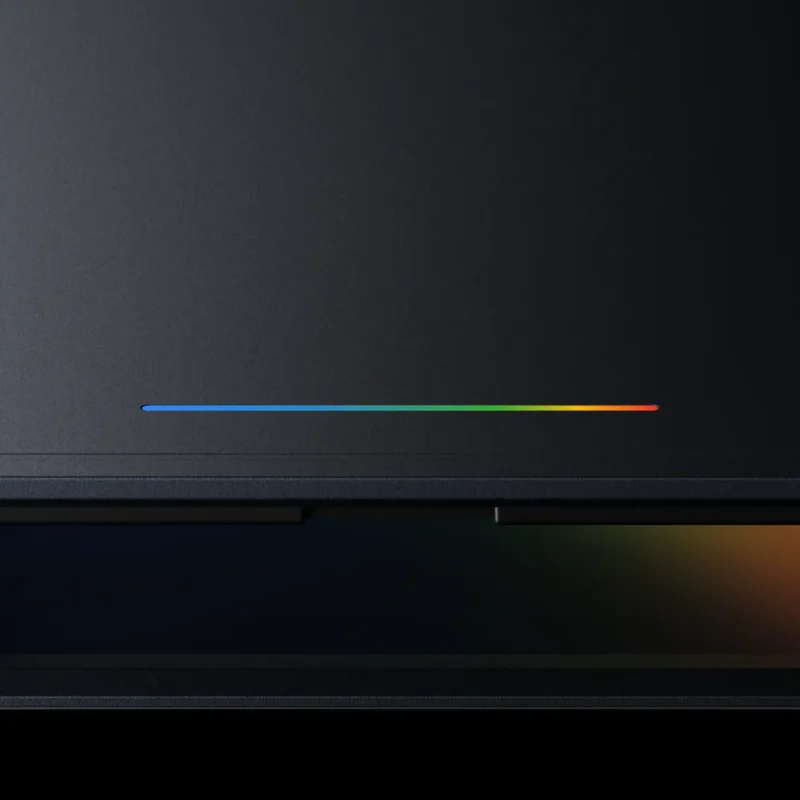
If your “work” is 90% emails, Google Docs, and slapping filters on TikToks, Aluminium OS is fantastic. It’s fast, it’s secure, and the Glow Bar looks killer in a coffee shop. The Magic Pointer is the kind of tech-demo fodder that looks great in a keynote.
But for anyone who needs to manage large data sets, code locally, or run professional creative suites, Aluminium OS is a toy wearing a suit. The MacBook Neo didn’t just bring a lower price; it brought the macOS legacy. Google is bringing a phone OS to a computer fight. Until Google gives us a real file system and professional app support, the Googlebook is just an expensive way to run a smartphone on a 14-inch screen.
Header image credit: Aluminium-os.com
Frequently Asked Questions (FAQ)
What is Aluminium OS?
Aluminium OS is Google’s 2026 operating system designed for the “Googlebook” hardware category. It is built on a native Android 17 kernel, moving away from the browser-centric ChromeOS to a mobile-first, AI-integrated desktop experience.
Is the Googlebook just a more expensive Chromebook?
Not exactly. While it serves a similar form factor, the Googlebook utilises much higher-end hardware (minimum 16GB RAM and NPU-heavy silicon) and runs Aluminium OS instead of ChromeOS. However, its productivity is still limited by the “sandbox” nature of mobile apps.
Can Aluminium OS run Windows or Mac software?
No. Aluminium OS is strictly limited to Android apps available via the Google Play Store and web-based applications. It cannot natively run .exe or .dmg files, which is a major disadvantage compared to the MacBook Neo’s ability to run full macOS applications.
What is the “Glow Bar” on the Googlebook?
The Glow Bar is a mandatory hardware LED strip on the lid of all Googlebook devices. It acts as a visual indicator for Google Gemini AI, pulsing when the assistant is processing information or notifying the user of AI-driven alerts.
How does the Googlebook compare to the MacBook Neo in price?
The MacBook Neo has disrupted the market with a starting price of RM2,499 ($550). In contrast, most Googlebook reference hardware is expected to start between RM3,499 and RM3,999, making the Googlebook a significantly more expensive option for less “Pro” software capability.
Does Aluminium OS have a real file system?
While it features a “Files” app with improved “Quick Access” for mobile device syncing, it still lacks the root-level directory access and robust file management found in desktop operating systems like macOS Tahoe or Windows 11.
