

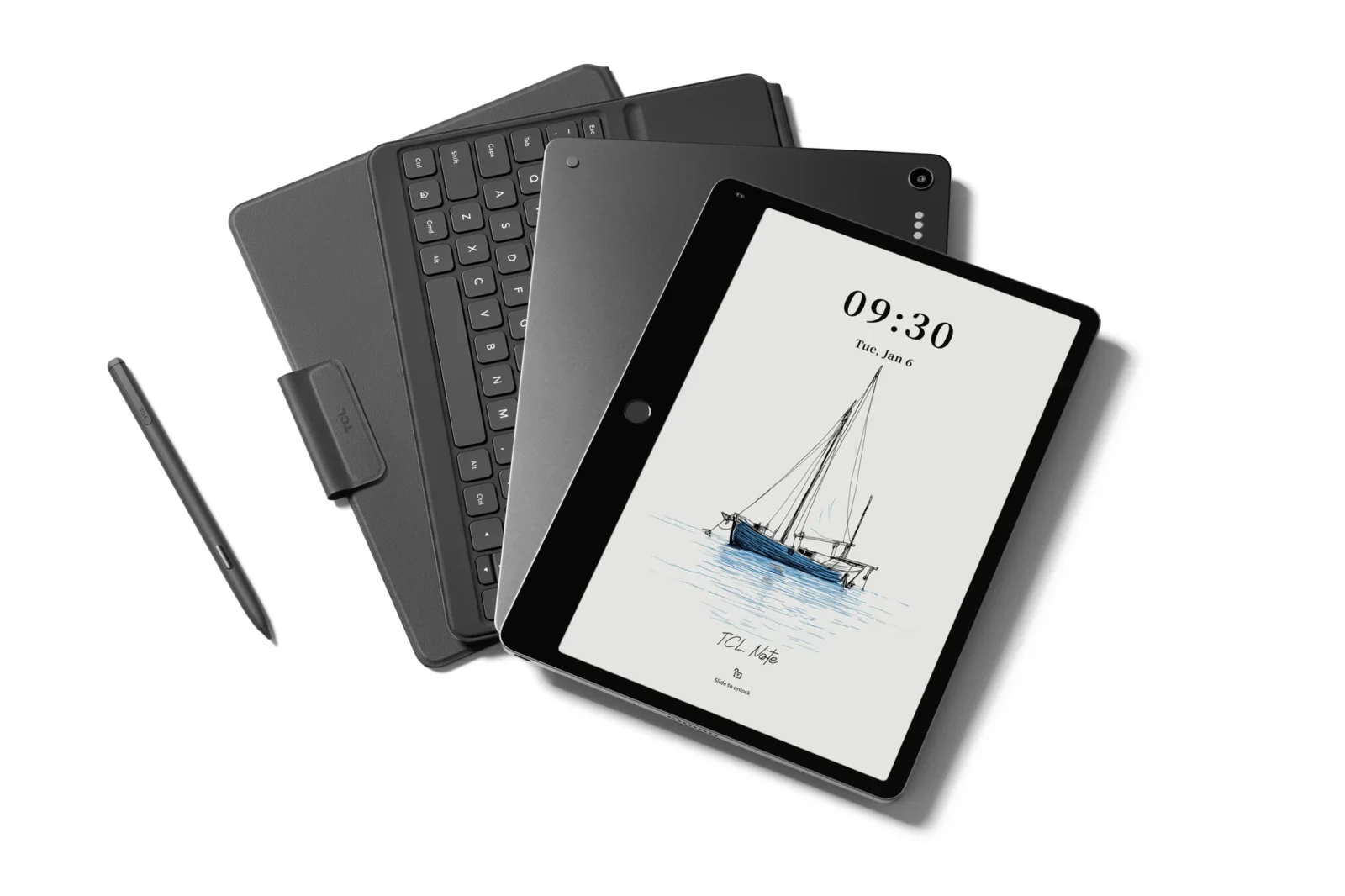
At a Glance: The TL;DR
- The Problem: Traditional E-Ink tablets (Kindle Scribe, ReMarkable) suffer from Ghosting Lag, where the digital ink “trails” behind the pen due to low refresh rates (12Hz–30Hz).
- The Fix: The TCL Note A1 NXTPAPER uses a 120Hz NXTPAPER Pure display. This allows for a 5ms latency, making the ink appear instantaneous.
- The Tactile Feel: Unlike the “plastic on glass” feel of an iPad, the 3A Crystal Shield provides nano-etched “tooth,” mimicking the friction of a gel pen on paper.
- The Hardware: The T-Pen Pro features 8,192 levels of pressure sensitivity and a dedicated haptic eraser nub.
The Muscle Memory of Lag
If you’ve used a Kindle Scribe or a ReMarkable, you’ve developed a subconscious “wait.” You stroke the pen, and a fraction of a second later, the line appears. It’s a tiny gap, but in the world of cognitive flow, it’s a chasm. This is ghosting lag, and it’s the primary reason many people still revert to physical Moleskine notebooks.
In 2026, the TCL Note A1 NXTPAPER has effectively ended this friction. By pairing a 120Hz refresh rate with the new T-Pen Pro, TCL has brought latency down to under 5ms.
The 5ms Difference: Why It’s Not Just a Number
On a standard E-Ink tablet (usually 12Hz to 30Hz), the screen literally cannot redraw fast enough to keep up with a fast-moving stylus. You see a “trail” of ink chasing your pen tip.
On the Note A1, the NXTPAPER Pure technology allows the pixels to transition almost instantly. When I write on this 11.5-inch canvas, the ink feels “attached” to the nib. There is no trail. There is no “thinking” time. It is the first time a digital device has successfully mimicked the 1:1 tactile response of a gel pen on 80gsm paper.
8,192 Levels of “Tooth”
It isn’t just about speed; it’s about pressure. The T-Pen Pro features 8,192 levels of pressure sensitivity.
- The Sketch Test: When I use the side-shading technique in apps like Sketchbook Pro, the A1 responds to the angle and force with a nuance that legacy e-readers simply can’t replicate.
- The Haptic Eraser: TCL finally added a dedicated sensor to the top of the pen. You don’t click a button to erase; you flip the pen over and use the haptic-feedback nub. It’s intuitive, fast, and removes another layer of “UX Tax.”
3A Crystal Shield: No More “Writing on a Mirror”
The biggest complaint about using an Apple Pencil on an iPad is the “clacking” sound of plastic on glass. It feels slippery and artificial.
The Note A1 uses 3A Crystal Shield Glass. The surface is nano-etched to create a microscopic texture. When the T-Pen Pro moves across it, there is a distinct, satisfying “scratch” sound and a slight resistance. This “tooth” is what gives you control over your handwriting, preventing the messy “scrawl” common on glossy tablets.
The Verdict: The End of the ‘Ghosting’ Habit
We have been gaslit by legacy E-Ink companies into believing that a little bit of lag is the price we pay for eye comfort. The TCL Note A1 proves that was a lie. You can have the matte, glare-free, paper-like experience without the hardware stutter.
If you are a designer, a heavy annotator, or someone who “thinks” through a pen, the 5ms latency of the T-Pen Pro makes the Kindle Scribe feel like a toy from a previous decade.
Frequently Asked Questions
Does the T-Pen Pro require charging?
Yes, but it uses active induction charging. It snaps magnetically to the side of the Note A1 and charges wirelessly. A 5-minute charge gives you roughly 2 hours of continuous writing.
Can I use the T-Pen Pro on other tablets?
The T-Pen Pro is optimised for the NXTPAPER protocol to achieve that 5ms latency, but it is compatible with most Wacom-layer Android devices (though you may see higher latency on non-120Hz screens).
