

At a Glance / TL;DR
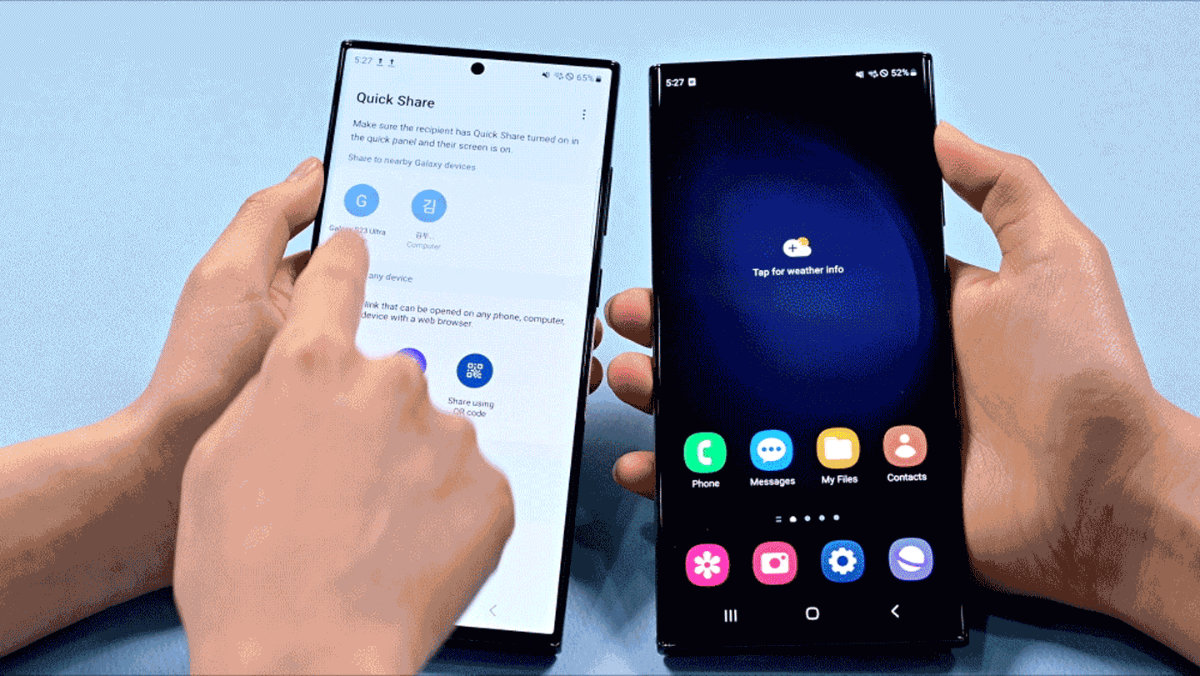
The Problem: Sharing a high-res video from an S26 to an iPhone has historically required “WhatsApp compression” or clunky cloud links. The Solution: A two-pronged “Peace Treaty.” Apple launched “Transfer to Android” in iOS 26.3, while Google has expanded Quick Share-AirDrop Interoperability to the Galaxy S26 series (February 2026). The Reality: You can now see iPhones in your S26 “Quick Share” menu. No third-party apps, no internet required. Warning: Apple hasn’t officially blessed this; Google built a “backdoor” using the Wi-Fi Aware standard. It works—but you must toggle “Everyone for 10 Minutes” on the receiving device.
The “Walled Garden” has finally been breached. For over a decade, the inability to quickly beam a file between an iPhone and a Galaxy was the single biggest friction point for mixed-OS households in Malaysia. As of February 2026, that barrier has effectively collapsed. Between Apple’s new native migration tools and Google’s “AirDrop-compatible” Quick Share on the S26 Ultra, the green bubble vs. blue bubble war just lost its most annoying battleground.
1. Quick Share Meets AirDrop: The Native Bridge
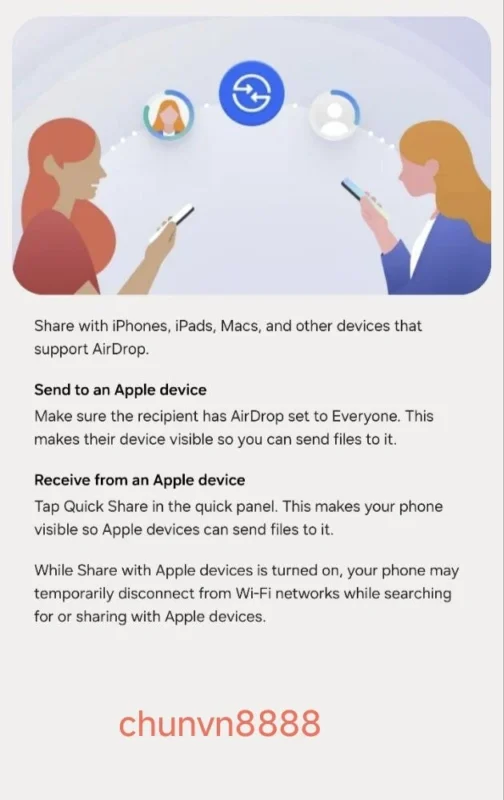
For months, this was a Pixel 10 exclusive. But with the launch of the Galaxy S26, Samsung users are finally getting the Quick Share Extension update that “speaks” AirDrop.
- No Permission Needed: Google didn’t wait for Apple’s permission. They leveraged the Wi-Fi Aware standard (which the EU forced Apple to adopt).
- How it looks on your S26: You tap “Share,” hit “Quick Share,” and—like magic—your friend’s iPhone 17 Pro or iPad appears in the list.
- The Catch: The receiving iPhone must have its AirDrop setting toggled to “Everyone for 10 Minutes.” If it’s on “Contacts Only,” your S26 won’t see it because Apple’s contact-discovery encryption remains closed.
2. iOS 26.3: Apple’s “One-Tap” Exit
While Google is fixing file sharing, Apple has surprisingly released a native “Transfer to Android” tool in iOS 26.3.
- The Friction Solved: Previously, moving from iPhone to Galaxy was a headache of “Switch to Android” apps and cable adapters.
- The New Way: Found in Settings > General > Transfer or Reset, this tool allows an iPhone to beam photos, messages, and even eSIMs directly to your new S26 Ultra via a QR code.
- The VernonChan Take: This is a clear response to EU pressure, but it’s a massive win for Malaysians looking to jump ship to the S26’s Privacy Display without losing their life’s data.
3. Speed & Quality: No More “WhatsApp Blur”
The biggest winner here is Image Quality.
- S26 to iPhone: When you send a 50MP photo from your S26 to an iPhone via this new bridge, it remains visually lossless.
- Connectivity: Because it uses a direct Peer-to-Peer (P2P) Wi-Fi connection, it’s significantly faster than Google Drive or Telegram. We’re talking 1GB video files transferred in seconds, even in the middle of a crowded mall with no 5G.
4. The “Xiaomi Bridge” & The Future of Interoperability
Samsung isn’t alone. Xiaomi’s “iOS Bridge” is also rumoured to debut at MWC 2026, and Qualcomm has confirmed they are baking this interoperability into the firmware level for all Snapdragon 8 Elite devices.
- The Prediction: By the end of 2026, the brand of your phone will no longer determine who you can share files with. The “lock-in” is dying.
Frequently Asked Questions (FAQ)
Is Apple’s “Transfer to Android” a separate app?
No. In iOS 26.3, it is a native feature found under Settings > General > Transfer or Reset. It allows for a one-tap migration of photos, messages, and even eSIMs to a Galaxy S26.
Do I need internet for Quick Share to AirDrop?
No. It uses Wi-Fi Aware and Bluetooth 6.1 to create a direct peer-to-peer connection between the S26 and the iPhone. It works in the middle of a jungle as long as the devices are within 10 meters.
Q: Why can’t I see the iPhone in my S26 Share menu?
The receiving iPhone must have AirDrop set to “Everyone for 10 Minutes.” Because Google’s implementation is a “backdoor” using EU-mandated standards, it cannot yet bypass Apple’s private “Contacts Only” encryption.
Switching from an iPhone 17 Pro to the S26? Don’t forget to stack your Malaysia Pre-Order Promos to save up to RM1,500 on your new setup.
